
Professional-grade features designed specifically for YouTube creators who film in log format
AI-Powered Editing
Our advanced AI analyzes your footage and automatically creates professional edits that match your style and brand guidelines.
Smart scene detection
Automatic transitions
Intelligent pacing
Brand Kit Integration
Upload your logo, colors, fonts, and LUTs once. Every video automatically gets your brand's signature look.
Custom color grading
Logo placement
Font consistency
Time-Based Editing
Set your target video duration and let renderr intelligently trim your footage to fit perfectly.
Precise duration control
Content prioritizationg
Optimal pacing
Log Format Support
Full support for professional log formats from Sony, Canon, Panasonic, and more. Get the most out of your camera's dynamic range.
S-Log, C-Log support
10-bit color processing
Professional color science
Professional Timeline Editor
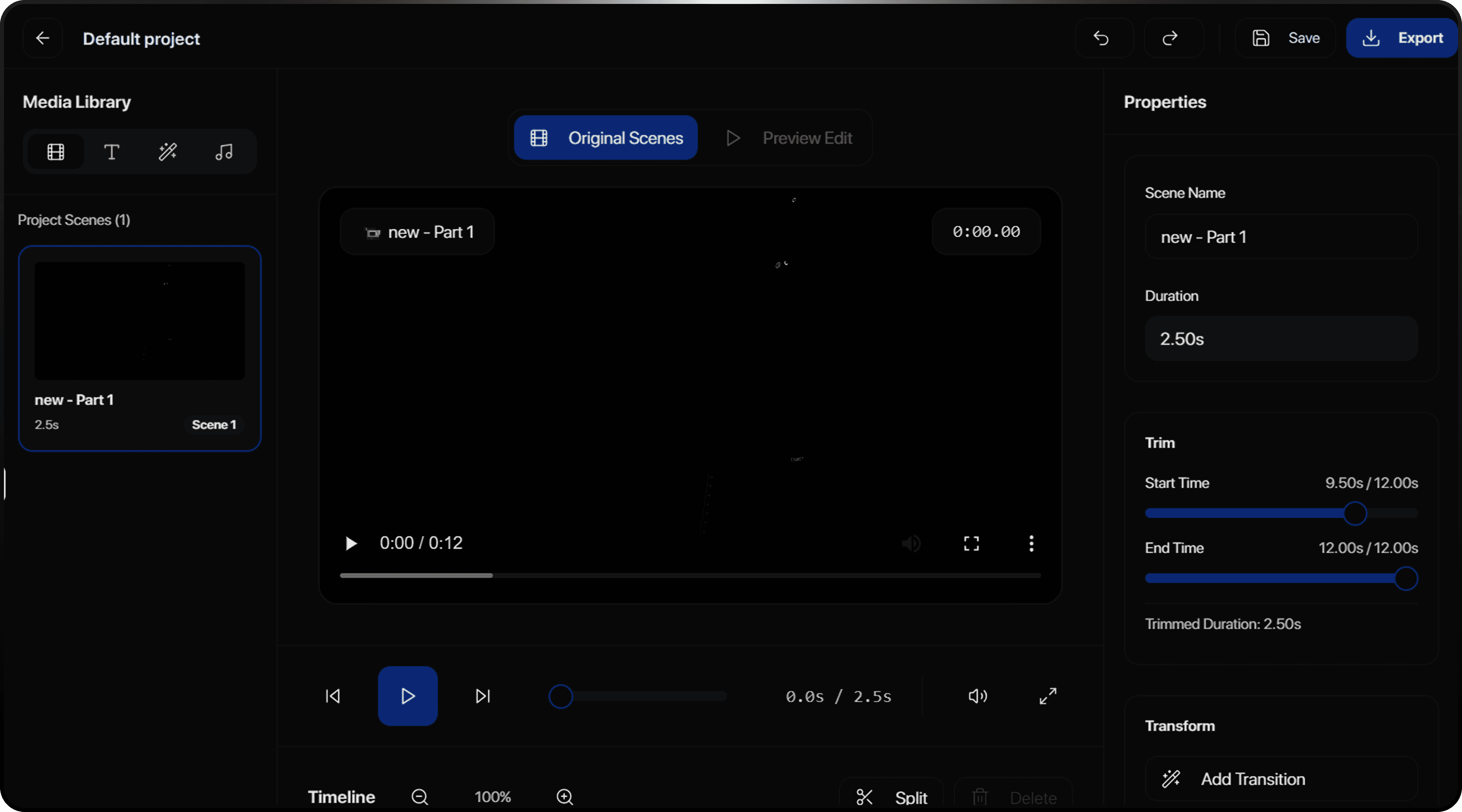
Fine-tune your AI-generated edits with our powerful timeline editor. Full control when you need it.
Frame-accurate trimming
Multi-track editing
Real-time preview
Direct YouTube Upload
Connect your YouTube channel and publish directly from renderr. No downloads, no extra steps.
OAuth integration
Metadata management
Thumbnail upload
Batch Processing
Upload multiple videos and let renderr process them all. Wake up to finished edits ready to publish.
Queue management
Priority processing
Progress tracking
Lightning Fast Processing
Most videos are ready in under 10 minutes. Our cloud infrastructure scales with your needs.
GPU-accelerated
Distributed processing
99.9% uptime
Frequently Asked Questions
Find everything you need to know about Renderr.
What file formats does Renderr support?
Renderr supports MP4, MOV, and most common video formats. We recommend H.264 or HEVC encoded files for best compatibility.
How does the AI decide which clips to use?
What is Rren?
What resolution can I export in?
Can I export to Final Cut Pro or Premiere Pro?
What counts as a project?
Where is my footage stored?
What are Rren credits?
Which social platforms can I publish to?
Can I cancel my subscription anytime?
Ready to edit smarter?
Join 50,000+ creators who've transformed their editing workflow